DaanSetu: receipts, vouchers and trust accounts for ashrams and NGOs
Volunteers issue a proper donation receipt in under a minute on their phone, record every rupee paid out, and trustees get audit-ready accounts, with no paper books.
A private app. We'll walk you through it on a short call.
- Industry
- NGOs & Nonprofits
- Capabilities
- Product Design, Web & App Development
- Timeline
- Live with organisations, demo on request
- Product
- DaanSetu
- Built with
- Vanilla JavaScriptViteFirebaseInstallable web app
The concern, and the fix.
- 01
The concernReceipts come from carbon-copy books, with lost counterfoils and repeated numbers.
How it's solvedA receipt in under a minute on any phone, with numbers the server guarantees never repeat.
- 02
The concernDonors ask again and again for their 80G receipt.
How it's solvedThe receipt reaches them on WhatsApp straight away, from a private link that needs no account.
- 03
The concernExpenses on loose slips and days of retyping into Excel every quarter.
How it's solvedEvery payment gets a voucher, and trust-format statements are ready to export any day.
The challenge
A small trust with three centres kept carbon-copy receipt books at each one and an Excel sheet at home. Counterfoils went missing, numbers repeated or were skipped, donors kept asking for their 80G receipts, and expenses lived on loose slips so the cash in hand never matched. Every quarter the accountant spent days retyping it all for the trustees and the auditor. The volunteers, aged 20 to 70, mostly used only WhatsApp, and the internet at one centre was patchy.
What we did
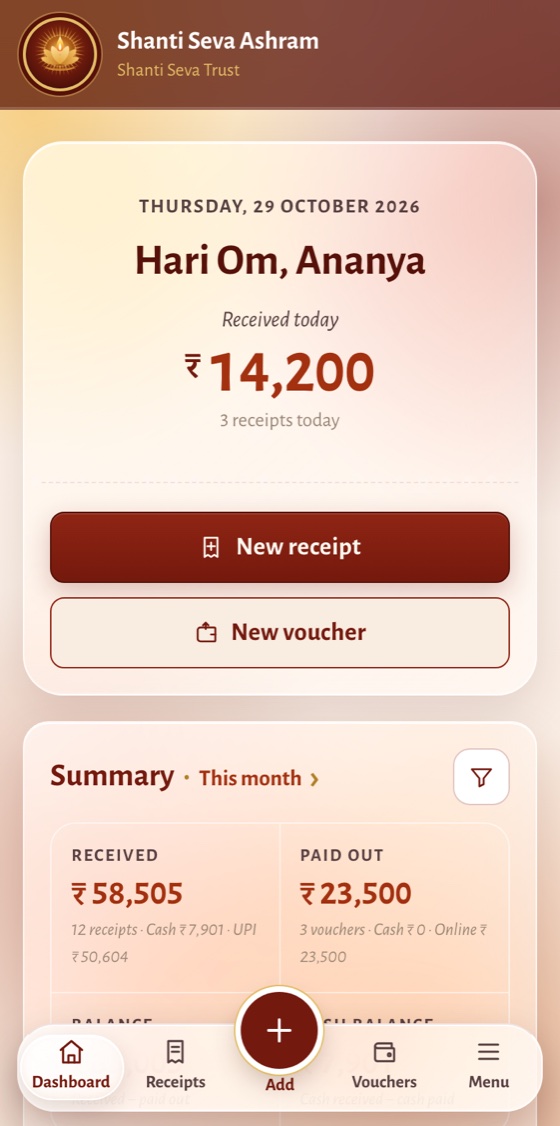
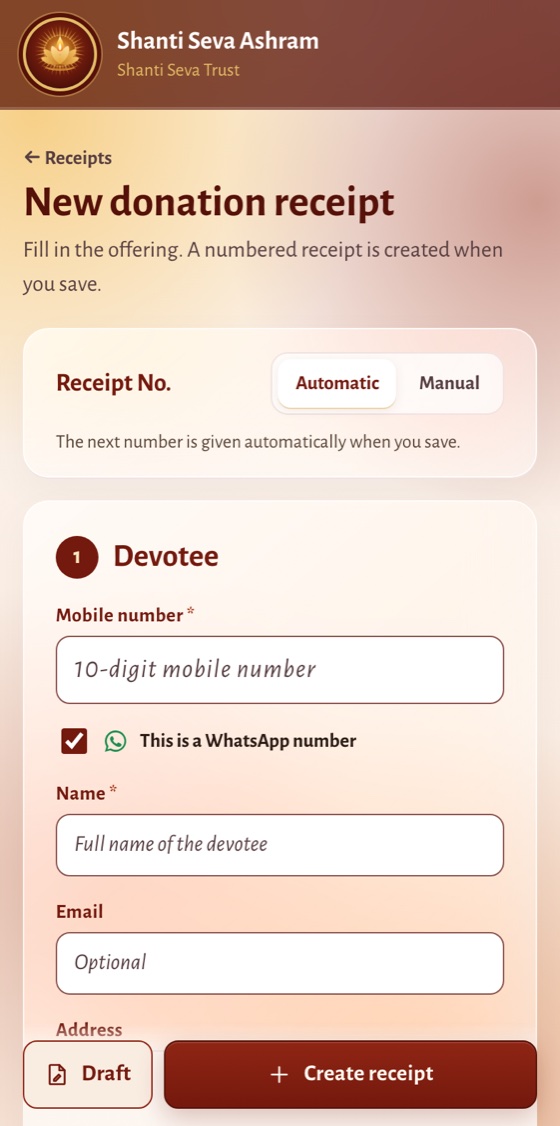
- Designed every receipt to fit one phone screen, with returning donors filled in from their mobile number.
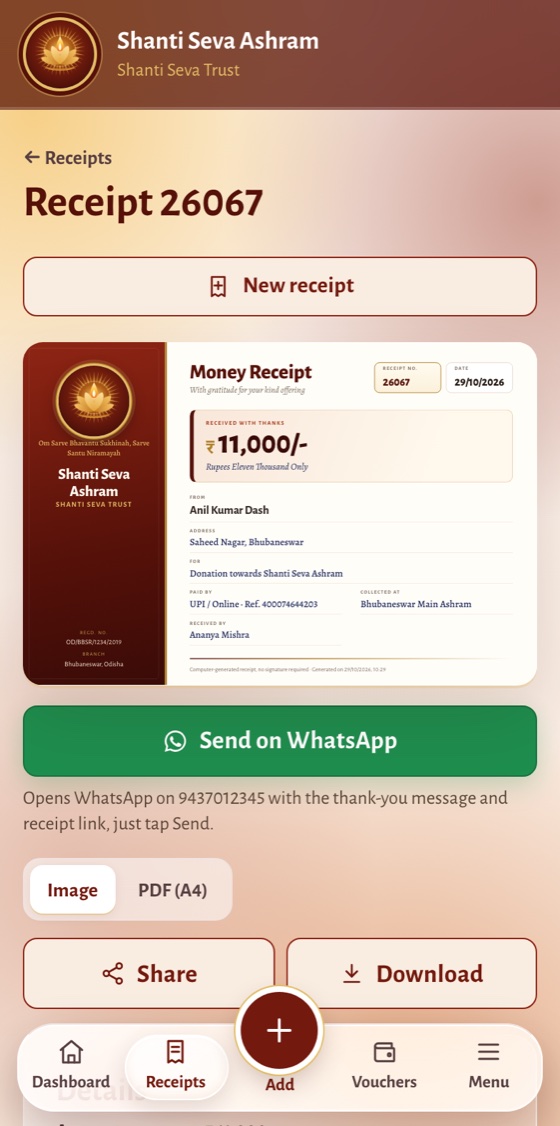
- Sent receipts to donors on WhatsApp through a private link, as an image or an A4 PDF, with 80G details.
- Made receipt numbers server-checked, so they never repeat, even when entries are made offline.
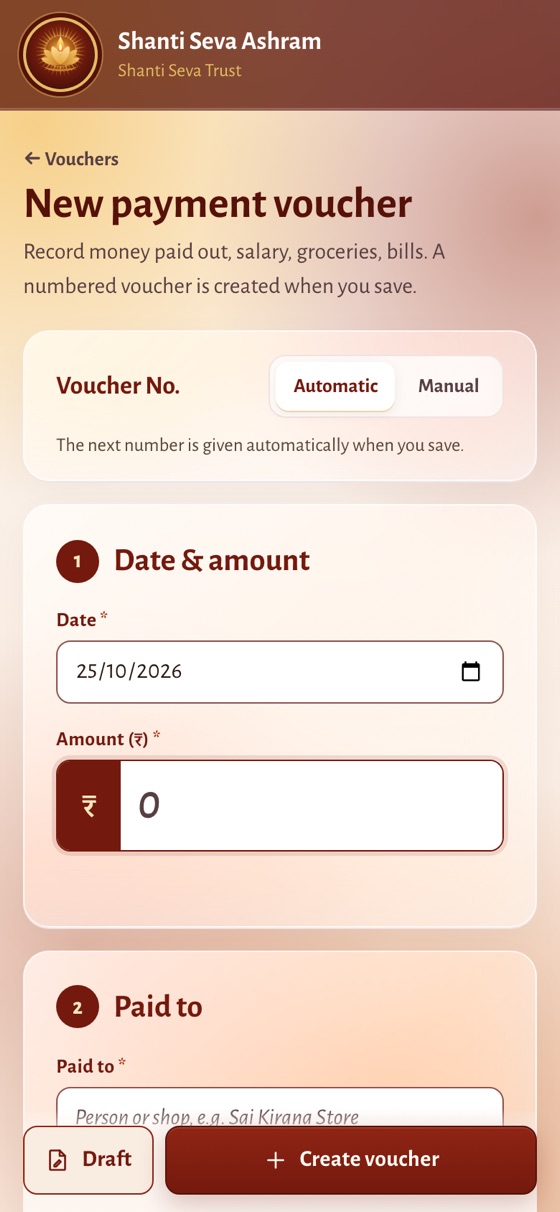
- Added numbered payment vouchers for salaries, groceries, puja materials and bills.
- Built reports in the Indian trust-accounts format, with password-protected PDFs and spreadsheets.
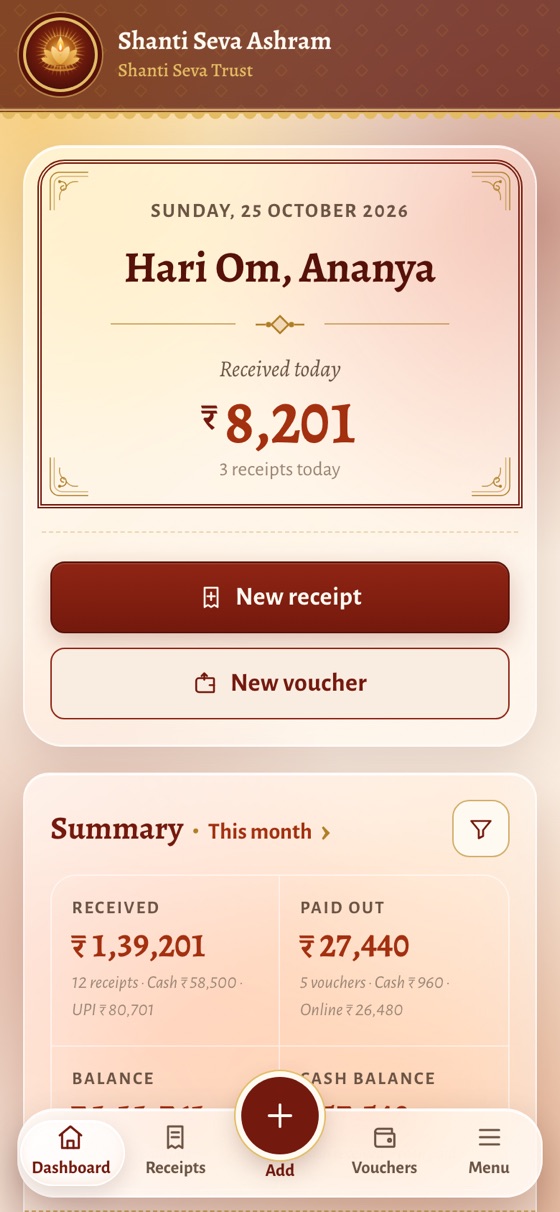
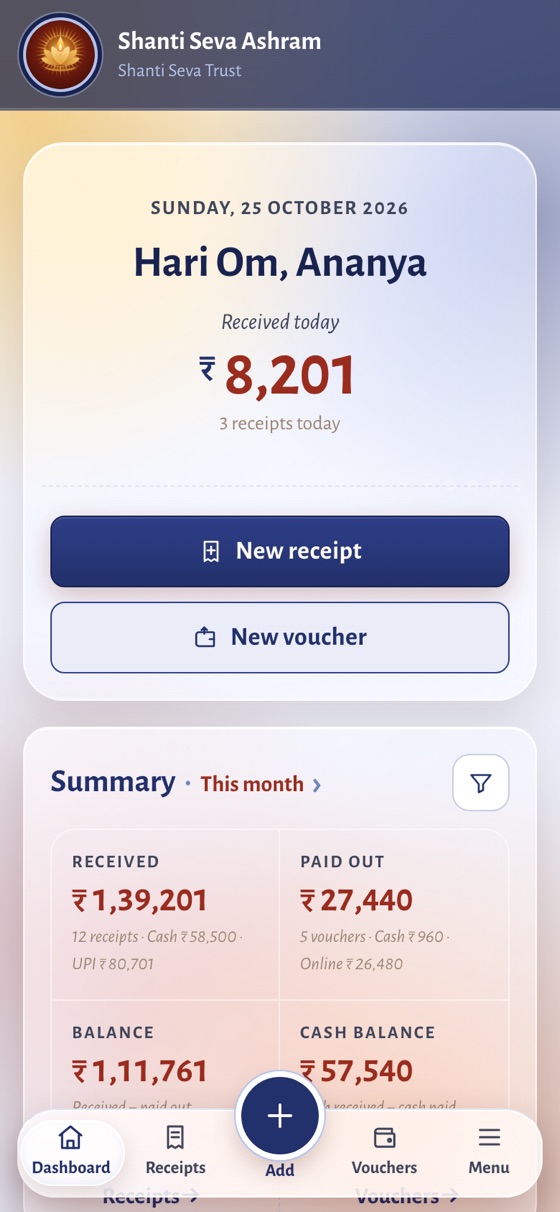
- Gave each organisation its own name, photo, greeting and colours: 12 themes, Glass or Solid, Traditional or Modern.
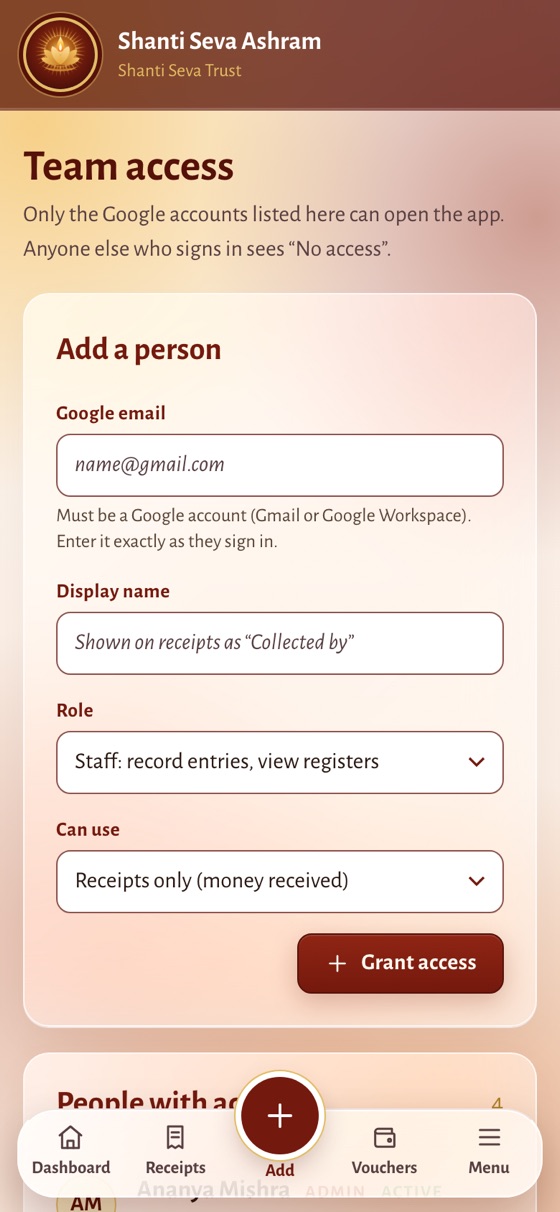
- Let the Admin add each volunteer by Google account and choose what they can use: receipts, vouchers or both.
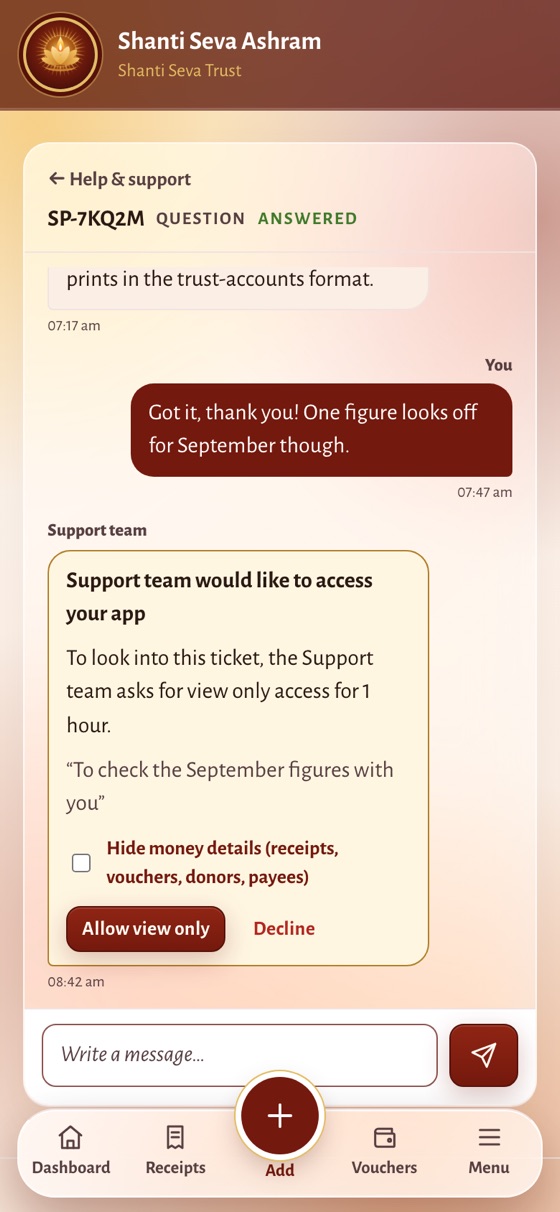
- Built help as a chat, where support can view the app only after the Admin allows it, for a limited time.
Smart and automatic
Type three digits of a mobile number and matching devotees appear; pick one and name, email, address and PAN fill in.
Type two letters in "Paid to" for suggestions; the usual head (Salary, Groceries, Electricity…) follows the payee and learns new ones.
1,25,000 becomes "One Lakh Twenty Five Thousand" as you type, and the receipt's purpose is written from the reason.
Automatic numbers per year, or manual ones from a paper book; the database refuses any number used twice.
Entries save as pending and get their number by themselves once the phone is back online.
Save locks after one tap, unfinished entries become drafts, and an 80G warning appears for cash above ₹2,000.
Receipts and vouchers
- Certificate-style receipts
In the organisation's colours, photo and name, the same on screen, as an image, as an A4 PDF and on the donor's link.
- 80G tax receipts
Donor PAN, the trust's 80G details, and a copy of those details kept on each receipt, unchanged by later edits.
- Payment vouchers
Salaries, groceries and bills paid by cash, UPI or cheque, with "Prepared by" and "Received by" lines.
- Cancel, never lose
Edited receipts are marked; cancelled ones keep their number and reason and leave the totals.
Sharing
- Send on WhatsApp in one tap
Opens the devotee's own number, even if it isn't saved, with the trust's greeting and a private receipt link typed in.
- A receipt page for the donor
Opens without signing in, with Save image and Save PDF; it never shows the mobile number or email.
- Messages in your own words
The thank-you and voucher messages and the greeting (Hari Om, Radhe Shyam, Namaste…) are set by the Admin.
Admin, roles and access
- Google sign-in, team list only
Only accounts the Admin adds can get in: Admin, or Staff for receipts only, vouchers only or both, enforced by the server.
- An Admin is always there
No Admin can remove, disable or demote themselves; Staff can record but never edit, cancel, delete or export.
- Activity log
Who created, edited, cancelled, shared, exported or changed access, and when. Nobody can edit it.
- Locations and packages
Every centre in one app; Basic, Standard or Full packages switch features on straight away.
- Try it with your own team
A demo organisation in your name with clear limits, DEMO marked on every receipt, and an easy way to ask for more time.
Reports and export
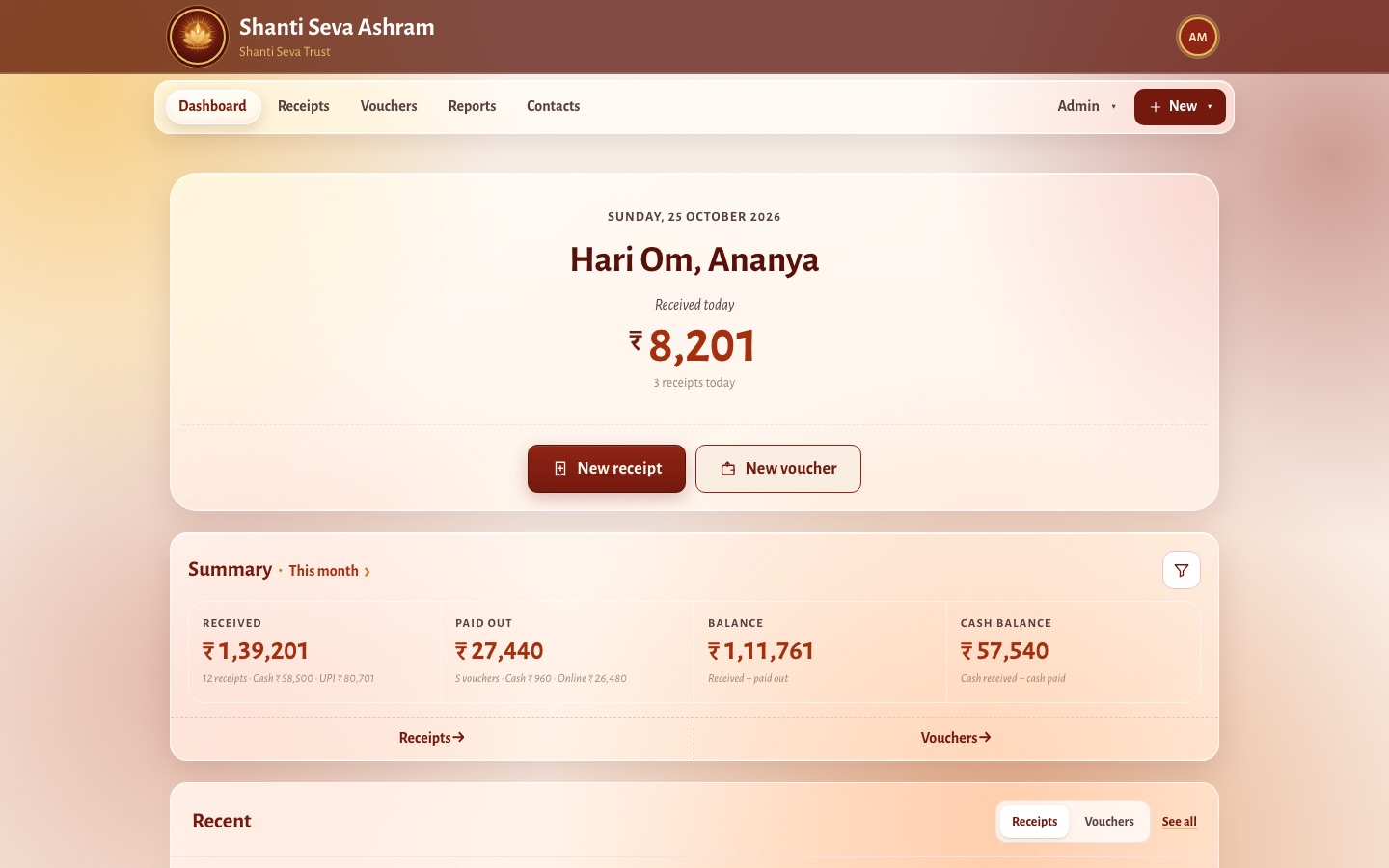
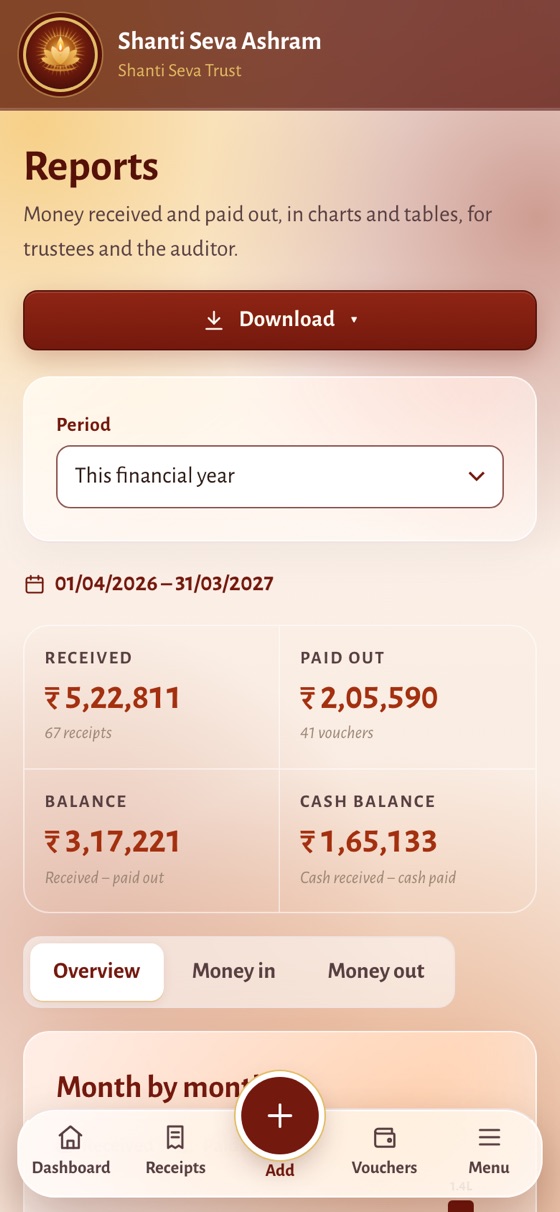
- Today and this month at a glance
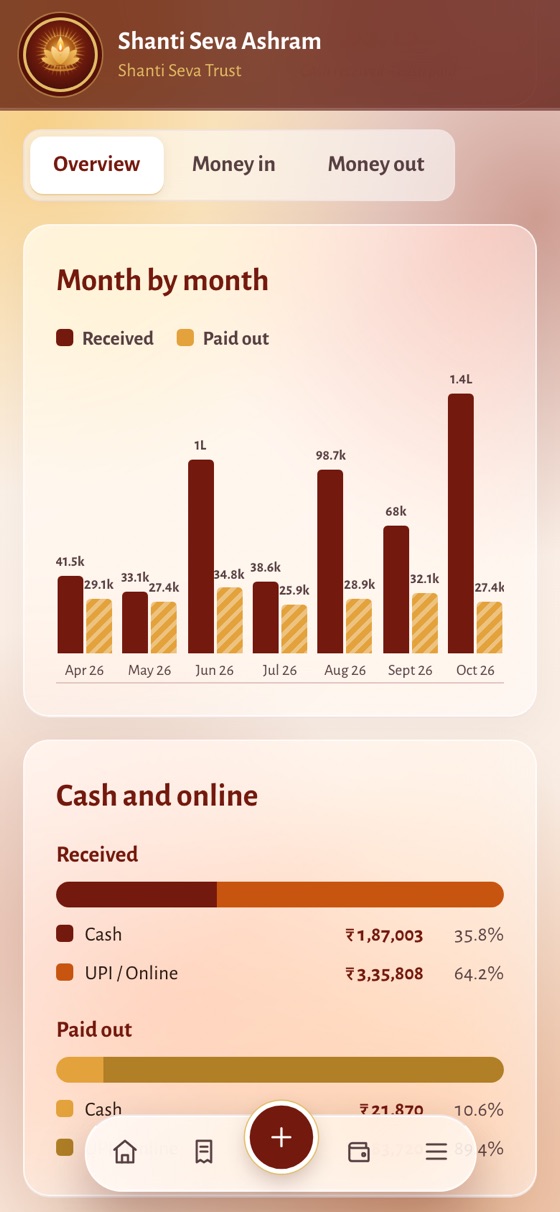
Received, paid out, balance and cash in hand, split by cash, online and location.
- Financial-year reports
Month-by-month charts, expenses by head, donations by reason and top payees, ready to print for trustee meetings.
- Trust-accounts statements
Income & Expenditure and Receipt & Payment in the traditional format, one click away.
- Exports for the auditor
A password-protected PDF report (the password is never stored) and a spreadsheet for Excel or Google Sheets.
Look, language and the app
- Looks like the organisation
12 colour themes, Traditional or Modern style, and Glass panels that move with your finger, as on an iPhone.
- Its own photos and app icon
Header, sign-in and receipt photos, and the installed app's icon, all set by the Admin.
- English, Hindi and Odia, per person
Each person's choice follows them to every device; receipts stay official.
- Always the latest version
Installs like an app on Android and iPhone, and updates itself the next time it's opened.
- 01
Understand the trust
Followed how money moves between counters, centres, the accountant and the auditor.
- 02
Design for the least confident user
One clear button per screen, large touch targets and familiar words like Devotee and Seva.
- 03
Offline first
Entries save on the phone and claim their number once online, so the counter never waits.
- 04
Secure every organisation
Roles, packages and support consent enforced by the server and covered by automated tests.
16 tools across 6 layers
App
- Vanilla JavaScript (ES modules)No framework overhead, fast on low-end phones
- ViteInstant development server and an optimised build
- Installable web app (PWA)Service worker and install prompts; installs like a native app
- Offline-firstReceipts save on the phone and get their number once back online
Design
- Plain CSS with design tokens12 colour themes, Glass and Modern styles switched by variables
- Alegreya and Noto SansA temple-book feel, with Devanagari and Odia scripts
- English, Hindi and OdiaEach volunteer chooses their own language
Data and sign-in
- Firebase AuthenticationGoogle sign-in only: no passwords to forget
- Cloud FirestoreEach organisation's data kept separate, synced in real time
- Server-checked numberingA receipt number can never be used twice, even offline
Documents and sharing
- html-to-imageReceipt images that look the same on screen and in WhatsApp
- jsPDF and jspdf-autotableA4 receipts and password-protected reports
- WhatsApp linksDonors open their receipt from a private link, no account needed
Security and quality
- Firestore security rulesOrganisations isolated; roles, per-person access and support consent enforced on the server
- Vitest and rules unit testing90+ automated tests, most of them on the security rules
Hosting
- Firebase HostingUpdates reach every phone the next time the app opens
Keep exploring.
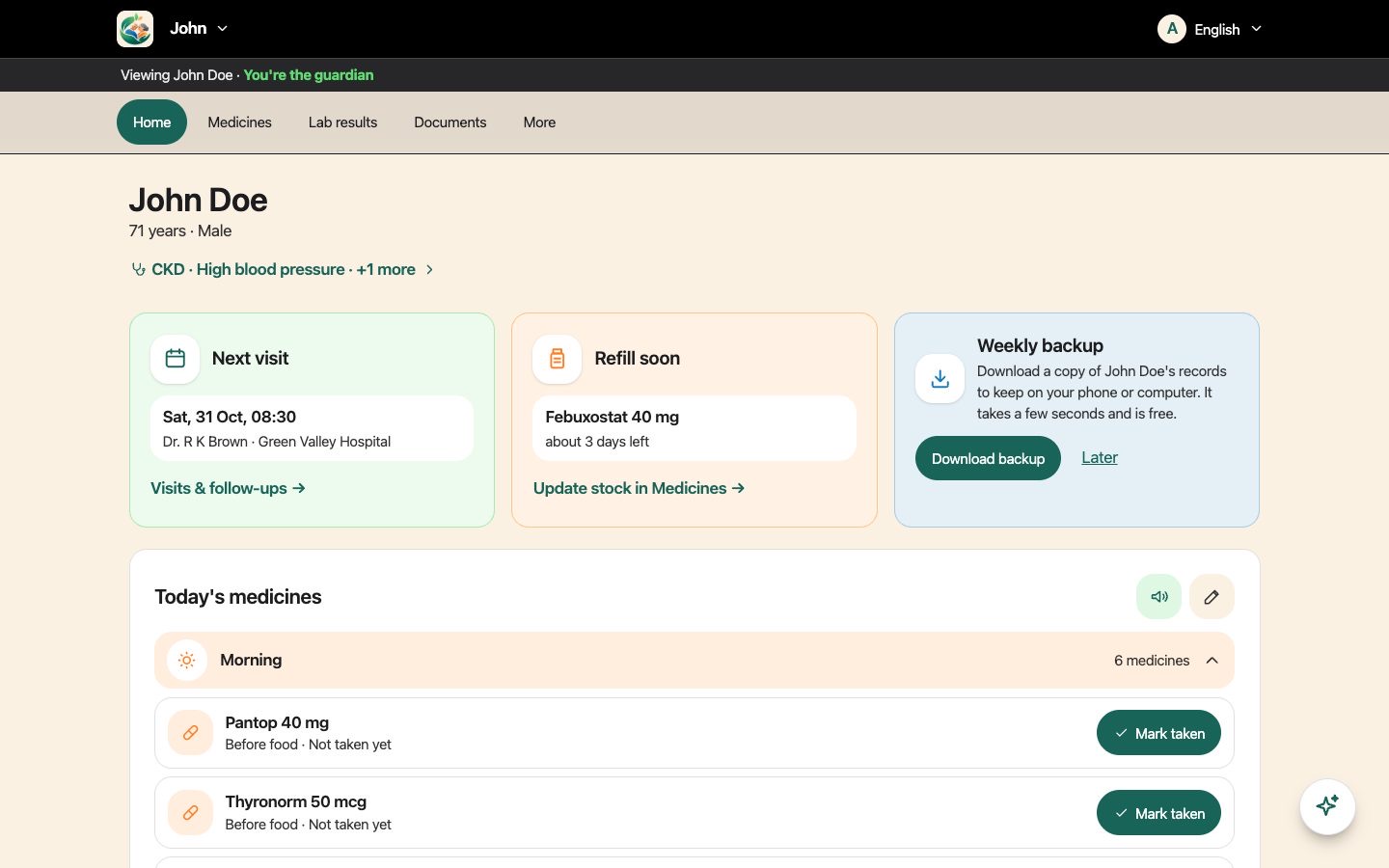
Jatna Parivar: one health record for the whole family, pets included
Product Design · Web & App Development
4.1 / 5 Usability score after audits, up from 3.2
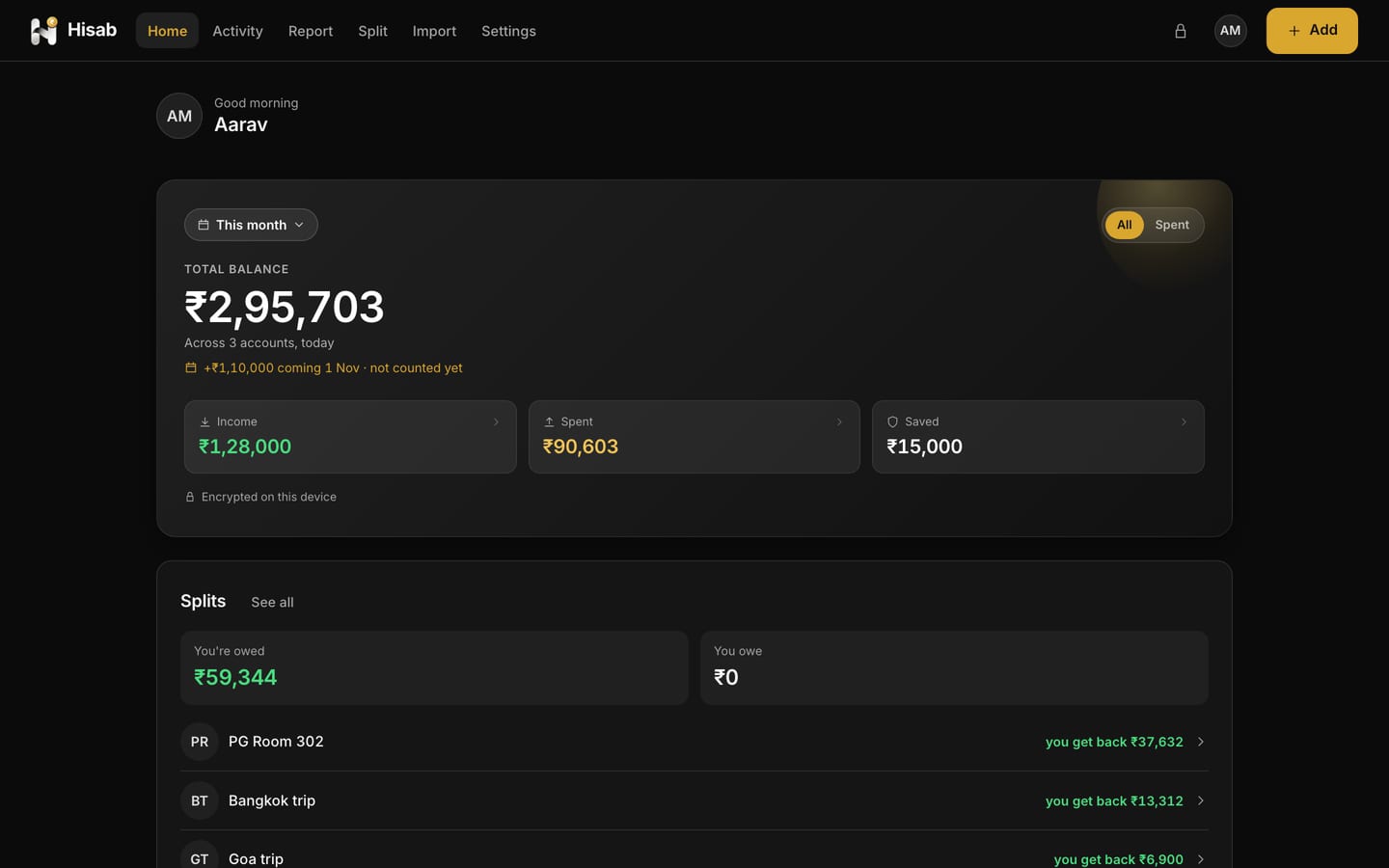
Hisab: a private money app that can't read your money
Product Design · Web & App Development
0 Accessibility violations on 32 screens, light and dark
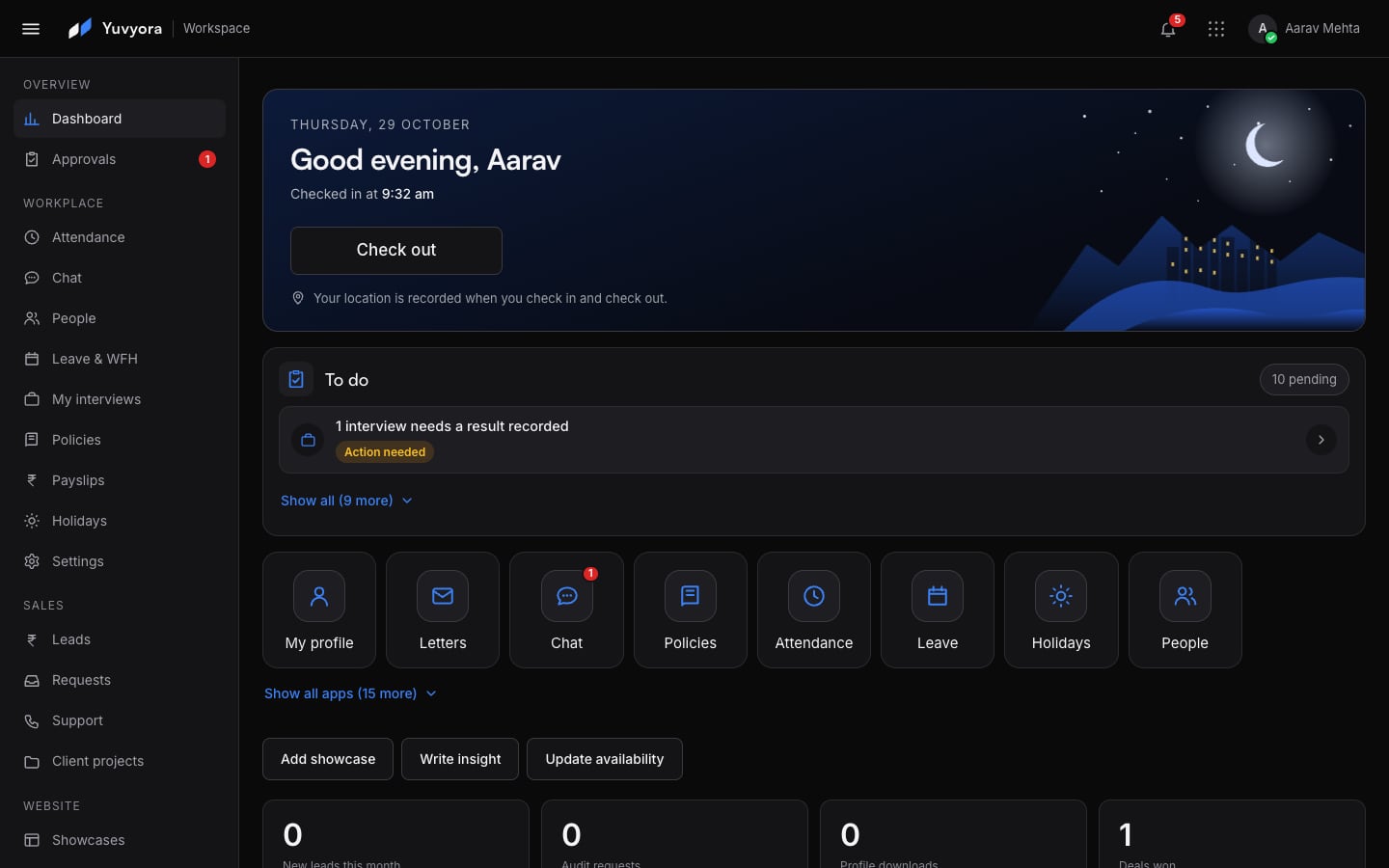
Yuvyora Workspace: chat, hiring and HR for the whole team, in one app
Product Design · Web & App Development
6 Access levels, each seeing only its own work
Let's create what's next.
We are partnering with a select group of 5 founding clients. Each one gets our full attention, our best thinking and terms reserved for the businesses that grow with us from the start.
- Senior team on your project from day one
- Preferred founding terms, agreed in your proposal
- Direct founder involvement in every key decision
- Priority scheduling ahead of standard engagements
Apply for a founding place Or start with a free website & app audit